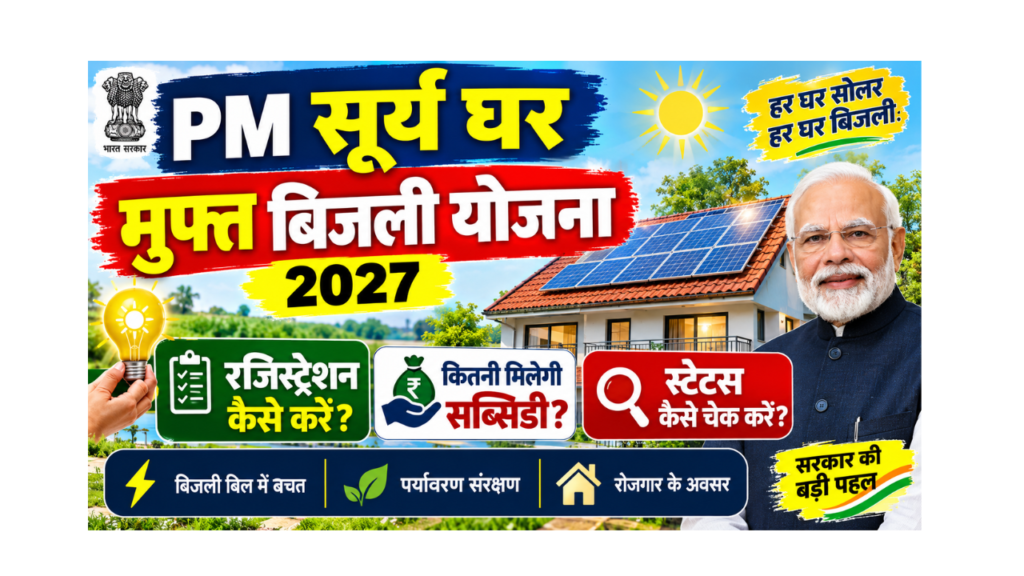
Electricity bills keep going up every year. For many middle-class and poor families, the monthly bill is a big burden. PM Surya Ghar Muft Bijli Yojana helps you put solar panels on your roof with a big government subsidy, so that you can get up to 300 units of free electricity every month and save money for many years.
In this guide, you will learn in simple words how to do PM Surya Ghar registration, how much solar subsidy you get, who is eligible, which documents you need, and how to do a PM Surya Ghar status check after you apply.
Written by: Prabhash, content creator and web developer, sahiyojana.com
Last updated: 21 October 2026
Fact-checked with: Press Information Bureau (PIB), Ministry of New and Renewable Energy (MNRE) guidelines and Parliament replies, and the official portal pmsuryaghar.gov.in
Quick Summary: PM Surya Ghar Muft Bijli Yojana
| Point | Details |
|---|---|
| Scheme name | PM Surya Ghar: Muft Bijli Yojana |
| Launched on | 13 February 2024 |
| Run by | Ministry of New and Renewable Energy (MNRE), Government of India |
| Total budget | ₹75,021 crore |
| Target | Rooftop solar on 1 crore homes by March 2027 |
| Main benefit | Up to 300 units of free electricity per month |
| Subsidy | ₹30,000 per kW for the first 2 kW and ₹18,000 for the 3rd kW (maximum ₹78,000) |
| Special category states | Up to ₹85,800 |
| Loan | Collateral-free loan of up to ₹2 lakh at a low interest rate |
| Who can apply | Households with their own roof and a valid electricity connection |
| How to apply | Online on pmsuryaghar.gov.in |
| Helpline | 15555 |
| Official portal | Click Here |
What Is PM Surya Ghar Muft Bijli Yojana?
PM Surya Ghar Muft Bijli Yojana is a central government scheme that helps families install a rooftop solar system on their house. The government pays a big part of the cost as a subsidy, which goes directly into your bank account after the system is installed and checked.
The solar panels make electricity from sunlight. Your house uses this electricity first. If the panels make more electricity than you use, the extra electricity goes to the power company (DISCOM) through a special meter called a net meter. This lowers your bill and, in many cases, brings it down to zero.
How Do You Get “Muft Bijli” (Free Electricity)?
There is no free electricity given by the government directly. Instead:
- You install solar panels with the help of the subsidy.
- The panels make your own electricity from the sun, free of cost.
- A 3 kW system can make more than 300 units per month on average (as per PIB).
- So, a family that uses around 300 units a month can bring its electricity bill close to zero.
In simple words: The government helps you pay for the solar system, and the sun gives you free electricity for 25 years or more.
PM Surya Ghar Progress So Far
The scheme has grown very fast since its launch.
| Date | Households with rooftop solar |
|---|---|
| March 2025 | About 10 lakh |
| December 2025 | About 24 lakh |
| August 2026 | More than 50 lakh |
| Target (March 2027) | 1 crore (100 lakh) |
%%{init: {"themeVariables": {"xyChart": {"plotColorPalette": "#43a047"}}}}%%
xychart-beta
    title "Homes with rooftop solar under PM Surya Ghar (lakh)"
    x-axis ["Mar 2025", "Dec 2025", "Aug 2026", "Target Mar 2027"]
    y-axis "Lakh households" 0 --> 100
    bar [10, 24, 50, 100]
What does this chart show? In about 17 months, the number of solar homes grew five times. But the target of 1 crore homes is still far, so the government is pushing hard. This is a good time to apply.
Latest Updates on PM Surya Ghar (2026)
- More than 50 lakh households have benefited, as per the Ministry of New and Renewable Energy (August 2026).
- About 19 lakh households now get a zero electricity bill.
- ₹28,024 crore of subsidy has been sent directly to beneficiaries’ bank accounts.
- In July 2026, more than 5 lakh installations were done in one month, the highest so far.
- Over 12 lakh households earned money by selling extra solar power to their DISCOM, about ₹421 crore in total in 2024-25.
- Low-interest loans are being given at about 5.75% interest (as reported in August 2026), linked to the RBI repo rate.
Solar Subsidy Under PM Surya Ghar
The subsidy is the biggest benefit of this scheme. It depends on the size of the solar system (in kW) and which state you live in.
Solar Subsidy Amount by System Size
| System size | Subsidy in general states | Subsidy in special category states |
|---|---|---|
| 1 kW | ₹30,000 | ₹33,000 |
| 2 kW | ₹60,000 | ₹66,000 |
| 3 kW | ₹78,000 | ₹85,800 |
| Above 3 kW | ₹78,000 (no extra subsidy) | ₹85,800 (no extra subsidy) |
Special category states and UTs are: the North-Eastern states, Uttarakhand, Himachal Pradesh, Jammu and Kashmir, Ladakh, Andaman and Nicobar Islands, and Lakshadweep.
%%{init: {"themeVariables": {"xyChart": {"plotColorPalette": "#fbc02d"}}}}%%
xychart-beta
    title "Solar subsidy in general states (Rs)"
    x-axis ["1 kW", "2 kW", "3 kW", "Above 3 kW"]
    y-axis "Subsidy in Rs" 0 --> 90000
    bar [30000, 60000, 78000, 78000]
You can see that the subsidy grows up to 3 kW and then stops. So, for most homes, a system of up to 3 kW gives the best value for the subsidy.
Which System Size Is Right for Your Home?
Look at your monthly electricity bill and check how many units you use. Then use this table.
| Your monthly electricity use | Suitable system size | Subsidy (general states) |
|---|---|---|
| 0 to 150 units | 1 to 2 kW | ₹30,000 to ₹60,000 |
| 150 to 300 units | 2 to 3 kW | ₹60,000 to ₹78,000 |
| Above 300 units | Above 3 kW | ₹78,000 |
Space needed: As a rough guide, you need about 100 square feet of shadow-free roof for every 1 kW. Your vendor will check this for you.
Subsidy for Housing Societies (RWA and Group Housing)
Residential Welfare Associations (RWAs) and Group Housing Societies (GHS) can also install solar for common facilities like lifts, water pumps and street lights.
| Point | Details |
|---|---|
| Subsidy | ₹18,000 per kW |
| Maximum capacity | Up to 500 kW (about 3 kW for each house in the society) |
| Used for | Common areas and shared facilities |
Simple Example: How Much Will You Pay?
Here is an example to help you understand. The cost is only an example; real prices change by city, brand and vendor.
| Item | Amount (example) |
|---|---|
| Cost of a 3 kW rooftop solar system | ₹1,80,000 (example) |
| Central subsidy (general state) | ₹78,000 |
| Amount you pay | ₹1,02,000 |
| Savings if your bill was ₹2,000 per month | About ₹24,000 per year |
| Time to recover your money | About 4 to 5 years |
| Life of solar panels | 25 years or more |
After you recover your cost, the electricity is almost free for the rest of the panels’ life. Some states also give an extra state subsidy on top of the central subsidy, so check with your DISCOM.
Low-Interest Loan for Rooftop Solar
If you cannot pay the full amount at once, you can take a loan.
- Collateral-free loan (no need to give property papers as security) of up to ₹2 lakh for systems up to 3 kW.
- The interest rate is low and linked to the RBI repo rate (about 5.75% as reported in August 2026).
- You can apply for the loan through the Jan Samarth portal or your bank. To open the Jan Samarth portal, Click Here.
- More than 21 lakh loan applications had been sanctioned by August 2026.
PM Surya Ghar Eligibility
Check these simple rules before you apply.
Eligibility Checklist
- You must be an Indian citizen.
- You must own a house with a roof that is suitable for solar panels.
- You must have a valid electricity connection in your name.
- Your roof should get good sunlight with little or no shadow.
- You should not have taken any other subsidy for rooftop solar for the same connection.
- The solar system must be grid-connected (off-grid systems do not get this subsidy).
- You must use solar panels made in India (DCR modules) to get the subsidy.
Quick Eligibility Check
flowchart TD
    A["Do you own the house and the roof?"] -->|Yes| B["Is the electricity connection in your name?"]
    A -->|No| X["Not eligible. The house owner should apply"]
    B -->|Yes| C["Does your roof get good sunlight?"]
    B -->|No| Y["Get the connection transferred to your name first"]
    C -->|Yes| D["Have you taken any solar subsidy before for this connection?"]
    C -->|No| Z["Solar may not work well. Ask a vendor to check"]
    D -->|No| E["You are eligible. Register on pmsuryaghar.gov.in"]
    D -->|Yes| W["Not eligible for another subsidy"]
    classDef ask fill:#fff9c4,stroke:#f9a825,color:#4e342e
    classDef ok fill:#c8e6c9,stroke:#2e7d32,color:#1b5e20
    classDef stop fill:#ffe082,stroke:#f57f17,color:#4e342e
    class A,B,C,D ask
    class E ok
    class X,Y,Z,W stop
Documents Required for PM Surya Ghar Registration
| Document | Why it is needed |
|---|---|
| Aadhaar card | Identity proof |
| Latest electricity bill | Shows your consumer number and DISCOM |
| Mobile number | For OTP and updates (should be active) |
| Email ID | For updates (optional but useful) |
| Bank passbook or cancelled cheque | To receive the subsidy money |
| Proof of house ownership | If your DISCOM or vendor asks for it |
| Photo of your roof | Some vendors may ask for it to plan the system |
Tips Before You Apply
- Make sure the name on your electricity bill matches your Aadhaar and bank account.
- Keep your consumer number (written on your electricity bill) ready.
- Use a bank account that is active and in your own name.
PM Surya Ghar Registration: Step-by-Step Online Process
The full process is online. You can do it yourself on a mobile phone or computer, or a registered solar vendor can help you fill the form.
Step 1: Register on the Official Portal
- Open the official portal. To open it directly, Click Here.
- Click on “Apply for Rooftop Solar” or “Consumer Login”.
- Enter your mobile number and verify it with the OTP sent by SMS.
- Select your state and your electricity company (DISCOM).
- Enter your electricity consumer number (from your bill).
- Fill in your name, email and address to complete your profile.
Step 2: Fill the Rooftop Solar Application
- After logging in, open the rooftop solar application form.
- Enter the system size you want (for example, 2 kW or 3 kW).
- Upload your electricity bill and other documents, if asked.
- Submit the form. You will get an application number. Save it.
Step 3: Get Feasibility Approval
- Your DISCOM checks whether a solar system can be connected to your electricity line.
- You will see the feasibility approval on your portal dashboard.
Step 4: Choose a Registered Vendor and Install
- On the portal, see the list of registered vendors for your area.
- Talk to 2 or 3 vendors and compare price, panel brand and warranty.
- Select one vendor and get the system installed on your roof.
- Make sure the vendor uses made-in-India (DCR) solar panels, or you will not get the subsidy.
Step 5: Net Meter and Inspection
- After installation, submit the plant details on the portal (or your vendor will do it).
- Apply for a net meter on the portal.
- The DISCOM installs the net meter and inspects your system.
- After the check, a commissioning certificate is generated on the portal.
Step 6: Submit Bank Details and Get the Subsidy
- Log in again and enter your bank account details.
- Upload a cancelled cheque or the first page of your bank passbook.
- The subsidy is sent directly to your bank account, usually within about 15 to 30 days after DISCOM approval.
PM Surya Ghar Registration Process at a Glance
flowchart TD
    S1["Register on pmsuryaghar.gov.in with mobile OTP"] --> S2["Select state, DISCOM and enter consumer number"]
    S2 --> S3["Fill rooftop solar application"]
    S3 --> S4["DISCOM gives feasibility approval"]
    S4 --> S5["Choose a registered vendor and install system"]
    S5 --> S6["Apply for net meter on the portal"]
    S6 --> S7["DISCOM inspects and installs net meter"]
    S7 --> S8["Commissioning certificate generated"]
    S8 --> S9["Submit bank details and cancelled cheque"]
    S9 --> S10["Subsidy credited to your bank account"]
    classDef step fill:#fff9c4,stroke:#f9a825,color:#4e342e
    classDef done fill:#c8e6c9,stroke:#2e7d32,color:#1b5e20
    class S1,S2,S3,S4,S5,S6,S7,S8,S9 step
    class S10 done
PM Surya Ghar Status Check
After you apply, you can check your application and subsidy status online at any time.
How to Check PM Surya Ghar Application Status Online
- Open the official portal. To open it directly, Click Here.
- Click on “Consumer Login” (or “Login”).
- Enter your registered mobile number and the OTP.
- Your dashboard will open.
- Check the application status shown on the dashboard. It shows each stage, from application to subsidy release.
The names of buttons can change a little when the portal is updated, but the login with mobile number and OTP stays the same.
What Do the Status Stages Mean?
| Status you see | What it means | What you should do |
|---|---|---|
| Application submitted | Your form has been received | Wait for DISCOM feasibility check |
| Feasibility approved | DISCOM allows solar on your connection | Choose a vendor and install |
| Installation details submitted | Vendor has uploaded system details | Apply for net meter if not done |
| Net meter installed / Inspection done | DISCOM has checked your system | Wait for commissioning certificate |
| Commissioning certificate issued | Your system is officially approved | Submit your bank details |
| Subsidy request submitted | Your subsidy claim is with the government | Wait a few weeks |
| Subsidy released | Money sent to your bank account | Check your bank passbook or SMS |
How to Check Solar Subsidy Status
- Log in to the portal and check the subsidy section on your dashboard.
- Check your bank account for a credit from the government.
- If the subsidy is late, call the helpline 15555 with your application number ready.
Benefits of PM Surya Ghar Muft Bijli Yojana
| Benefit | What it means for you |
|---|---|
| Lower electricity bill | Up to 300 units per month of your own solar power |
| Big subsidy | Up to ₹78,000 (₹85,800 in special category states) |
| Extra income | Sell extra power to your DISCOM through net metering |
| Easy loan | Collateral-free loan up to ₹2 lakh at a low interest rate |
| Long life | Solar panels work for 25 years or more |
| Clean energy | Less pollution and a cleaner environment for your children |
| Direct payment | Subsidy comes straight to your bank account |
Model Solar Village
The scheme also has a Model Solar Village part. One village in each district is chosen to become a model solar village, and it gets ₹1 crore of support. Villages with a population of more than 5,000 (or 2,000 in special category states) can be selected.
Things to Check Before You Install Solar
- Registered vendor only: Choose a vendor listed on the official portal. Unregistered vendors cannot get you the subsidy.
- Made-in-India panels: Use DCR (Domestic Content Requirement) panels. This is a must for the subsidy.
- Warranty: Ask for the warranty of panels, inverter and installation in writing.
- Strong structure: Make sure the frame on your roof is strong and rust-proof.
- Price comparison: Take quotes from at least 2 or 3 vendors.
- Net meter: Do not forget to apply for the net meter, or you cannot sell extra power.
- Clean panels: Clean the panels with water from time to time to keep them working well.
Common Problems and Their Solutions
| Problem | Likely reason | What to do |
|---|---|---|
| OTP not received | Network problem or wrong number | Wait a few minutes and try again; check the number |
| Consumer number not accepted | Wrong DISCOM selected or typing mistake | Check your bill and select the correct DISCOM |
| Feasibility approval delayed | DISCOM is checking your line | Contact your local DISCOM office |
| Subsidy not received | Bank details missing or wrong, or commissioning pending | Check bank details on the portal; call 15555 |
| Name mismatch | Electricity connection in another family member’s name | Get the connection transferred to your name |
| Vendor asking for very high price | No price comparison done | Take quotes from more registered vendors |
PM Surya Ghar Helpline and Contact Details
| Purpose | Number or website |
|---|---|
| PM Surya Ghar national helpline | 15555 |
| Official portal | pmsuryaghar.gov.in |
| Loan portal | jansamarth.in |
| Ministry website | mnre.gov.in |
| Local help | Your DISCOM office or registered vendor |
Frequently Asked Questions (FAQ)
What is PM Surya Ghar Muft Bijli Yojana?
It is a central government scheme that gives a subsidy to families to install rooftop solar panels. With solar panels, a family can get up to 300 units of electricity every month free from the sun and lower its electricity bill.
How do I do PM Surya Ghar registration?
Go to pmsuryaghar.gov.in, log in with your mobile number and OTP, select your state and DISCOM, enter your electricity consumer number, and fill the rooftop solar application. Then choose a registered vendor and get the system installed.
How much solar subsidy will I get?
In general states, you get ₹30,000 for 1 kW, ₹60,000 for 2 kW and ₹78,000 for 3 kW or more. In special category states like the North-East, Himachal Pradesh, Uttarakhand and J&K, you get up to ₹85,800.
How can I do a PM Surya Ghar status check?
Log in to pmsuryaghar.gov.in with your registered mobile number and OTP. Your dashboard will show the status of your application, installation, inspection and subsidy.
Is electricity really free under this scheme?
The government does not give free electricity directly. It gives a subsidy for solar panels. The panels make your own electricity, so if your system is the right size, your bill can come down to zero.
Who is eligible for PM Surya Ghar?
Any Indian household that owns a house with a suitable roof, has a valid electricity connection in its name and has not taken any other solar subsidy for that connection can apply.
Can tenants apply for PM Surya Ghar?
Usually, the scheme is for people who own the house and the roof. A tenant should talk to the house owner, as the owner (with the connection in their name) needs to apply.
Is there any fee for registration?
No. Registration on the official portal is free. You only pay the vendor for the solar system, after which the subsidy is sent to your account.
How long does it take to get the subsidy?
The subsidy is usually sent within about 15 to 30 days after the DISCOM inspects your system and you submit your bank details. Delays can happen if any detail is missing.
Do I have to use made-in-India solar panels?
Yes. To get the subsidy, you must use solar panels with made-in-India cells and modules (DCR panels), installed by a registered vendor.
Can I get a loan for rooftop solar?
Yes. You can get a collateral-free loan of up to ₹2 lakh for systems up to 3 kW, at a low interest rate. You can apply through the Jan Samarth portal or your bank.
Can I earn money from my solar system?
Yes. If your panels make more electricity than you use, the extra power goes to the DISCOM through the net meter. Your DISCOM adjusts or pays for it as per your state’s rules.
What is the last date to apply for PM Surya Ghar?
There is no fixed last date announced for individual applicants. The scheme target is to cover 1 crore homes by March 2027, so it is better to apply soon.
What is the PM Surya Ghar helpline number?
The national helpline number is 15555. You can also contact your local DISCOM office or your registered vendor.
Can a housing society apply?
Yes. RWAs and group housing societies get ₹18,000 per kW for solar used for common facilities, up to 500 kW.
Sources We Used
- Press Information Bureau (PIB): PM Surya Ghar scheme details, subsidy and Model Solar Village
- MNRE subsidy guidelines for residential consumers (as reported in September 2026)
- MNRE progress figures (August 2026) and Lok Sabha reply (31 July 2026), as reported by news agencies
- MNRE milestones of 10 lakh homes (March 2025) and 24 lakh homes (December 2025)
- Consumer manual on PM Surya Ghar by Citizen consumer and civic Action Group (CAG)
- Official portal pmsuryaghar.gov.in
Disclaimer
sahiyojana.com is not a government website and is not linked with any government department, DISCOM or solar vendor. We share information from official sources in simple language to help readers. Subsidy amounts, loan rates and rules can change, so please confirm the latest details on the official portal before you apply. sahiyojana.com is completely free and never asks for any money.
Important Links
These important links are collected for you by sahiyojana.com. Click on any link to open the page.
| What You Need | Link |
|---|---|
| Application Form (Apply for Rooftop Solar) | Click Here |
| Official Site (PM Surya Ghar National Portal) | Click Here |
| PM Surya Ghar Status Check (Consumer Login) | Click Here |
| Solar Loan (Jan Samarth Portal) | Click Here |
| Ministry of New and Renewable Energy | Click Here |
| PM Vishwakarma Yojana Online Apply | Click Here |
| Other Yojana Info | Click Here |
| Home Page | Click Here |
