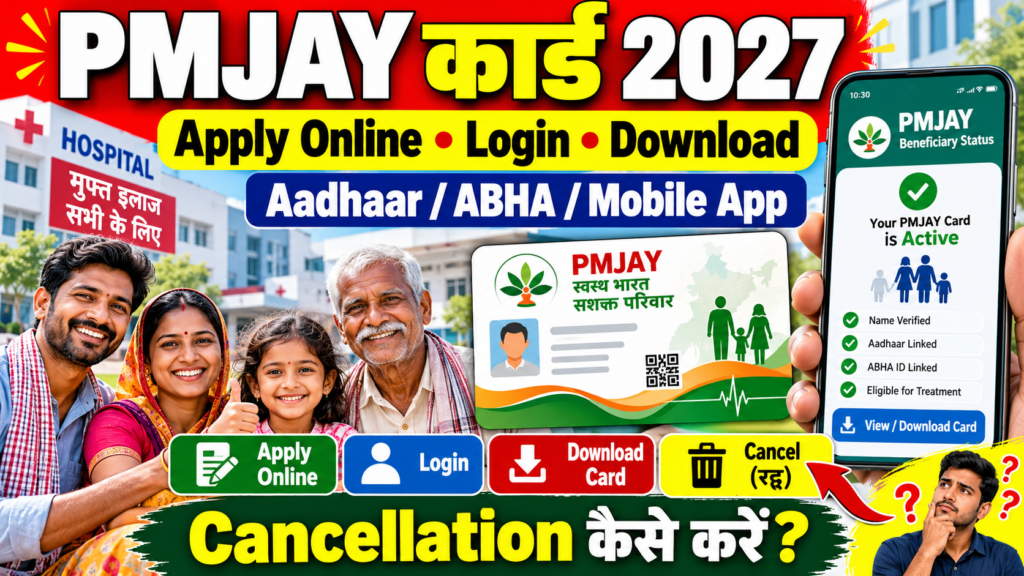
The PMJAY card is the card that gets you free hospital treatment of up to ₹5 lakh per family every year under Ayushman Bharat Pradhan Mantri Jan Arogya Yojana. Most people simply call it the Ayushman card.
A lot of families already have their name in the list but never download the card, and only find out at the hospital counter, when someone is unwell and stress is high. Doing it today, at home, takes about ten minutes.
This page explains what the PMJAY card number is, how to apply online, how to log in, how to download the card by Aadhaar number, ABHA number or mobile number on the app, and what “cancellation” really means under PM-JAY. Because every state runs PM-JAY with its own state health agency (and sometimes its own scheme name), there is also a state-wise table at the end.
Written by: Prabhash, content creator and web developer, sahiyojana.com
Last updated: 8 October 2026
Checked against: the NHA beneficiary portal process, official PM-JAY information, PM-JAY eight-year figures (September 2026), and state health scheme announcements
PMJAY Card at a Glance
| Point | Details |
|---|---|
| Scheme | Ayushman Bharat Pradhan Mantri Jan Arogya Yojana (AB PM-JAY) |
| Cover | Up to ₹5 lakh per family per year, cashless |
| Who | Eligible poor and vulnerable families, plus everyone aged 70 and above |
| Cards made | More than 48.5 crore (September 2026) |
| Apply / download | beneficiary.nha.gov.in or Ayushman App |
| Login | Mobile number + OTP |
| Card number | PMJAY ID (printed on your card) |
| Grievance | CGRMS portal or helpline |
| Helpline | 14555 / 1800-11-4477 |
| Official portal | Click Here |
PMJAY Card Number Kya Hota Hai? (What Is the PMJAY Card Number?)
Your PMJAY card number (also called PMJAY ID or beneficiary ID) is the unique number printed on your Ayushman / PMJAY card. Each member of the family gets their own card and number, while the ₹5 lakh cover is shared by the family.
| Number | What it is | Where you see it |
|---|---|---|
| PMJAY ID | Your personal beneficiary number under PM-JAY | Printed on your PMJAY card |
| Family ID | The family’s ID in the PM-JAY list (from SECC / state database) | Shown when you search on the portal |
| ABHA number | Your 14-digit digital health ID (separate from PM-JAY) | ABHA card |
| Aadhaar | Your identity number, used for e-KYC | Aadhaar card |
Why it matters: At the hospital, the Arogya Mitra may ask for your PMJAY ID or Aadhaar. If you know your PMJAY ID, your search is faster.
PMJAY Card Apply Online: What “Apply” Really Means
You cannot apply for PM-JAY like a job form. Either your family is in the PM-JAY list, or it is not. If it is, “applying” means:
- Finding your name in the list,
- Completing e-KYC with Aadhaar, and
- Creating your card for each member.
The one big exception: every person aged 70 or above can register directly under Ayushman Vay Vandana, whatever their income.
Steps to Apply Online (Beneficiary Portal)
- Open the NHA beneficiary portal. To open it directly, Click Here.
- Select “Beneficiary” and log in with your mobile number and OTP.
- Select PM-JAY, your state and district.
- Search using Aadhaar number, family ID / ration card number, PMJAY ID or name.
- If your name appears, click “Do e-KYC”.
- Verify with Aadhaar OTP or face authentication (where offered).
- Add a photo if asked and submit.
- Once the state health agency approves it, your card is ready to download.
Apply Through Ayushman App
- Download the official Ayushman App from the Play Store.
- Log in as “Beneficiary” with your mobile number and OTP.
- Search your family by Aadhaar or family ID.
- Complete e-KYC (OTP or face scan).
- Submit and wait for approval.
Apply Offline
Visit the Arogya Mitra desk at any empanelled hospital, a CSC, or an Ayushman camp with your Aadhaar and ration card. They will search your name and do biometric e-KYC for you.
PMJAY Card Login
| Where | How to log in |
|---|---|
| beneficiary.nha.gov.in | Choose “Beneficiary”, enter mobile number, captcha and OTP |
| Ayushman App | Choose “Beneficiary”, enter mobile number and OTP |
After login, you can search family members, do e-KYC, check approval status and download cards.
PMJAY Card Download: Three Easy Ways
flowchart TD
    A["Log in on beneficiary.nha.gov.in or Ayushman App with mobile OTP"] --> B["Select PM-JAY, state and district"]
    B --> C["Search by Aadhaar number"]
    B --> D["Search by PMJAY ID or family ID"]
    B --> E["Search by ABHA-linked details where offered"]
    C --> F["Is e-KYC done and card approved?"]
    D --> F
    E --> F
    F -->|Yes| G["Click Download and verify Aadhaar OTP"]
    F -->|No| H["Complete e-KYC and wait for approval"]
    classDef step fill:#fff9c4,stroke:#f9a825,color:#4e342e
    classDef ok fill:#c8e6c9,stroke:#2e7d32,color:#1b5e20
    classDef stop fill:#ffe082,stroke:#f57f17,color:#4e342e
    class A,B,C,D,E,F step
    class G ok
    class H stop
PMJAY Card Download by Aadhaar Number
- Log in on beneficiary.nha.gov.in with mobile and OTP.
- Select PM-JAY, your state and district.
- Choose search by Aadhaar and enter the Aadhaar number.
- Next to the member’s name, click “Download Card”.
- Verify with the OTP sent to the Aadhaar-linked mobile.
- The card PDF downloads.
PMJAY Card Download by Mobile Number (App)
- Open the Ayushman App and log in with your mobile number and OTP.
- Search your family with Aadhaar or family ID.
- Tap “Download” next to the name.
- Verify with Aadhaar OTP and save the card.
PMJAY Card Download by ABHA Number
Your ABHA number and your PMJAY card are different, but they can be linked.
- If your ABHA is linked to your PM-JAY record, some hospital and app systems can find your PM-JAY details through your ABHA.
- On the beneficiary portal, the most reliable way to download is still by Aadhaar, PMJAY ID or family ID.
- If you only remember your ABHA, log in on the ABHA portal first to see the Aadhaar-linked details, then use the Aadhaar search on the PM-JAY portal.
PMJAY Card Cancellation: What Is Possible?
Many people search for “PMJAY card cancellation online apply”. Here is the real situation:
| Situation | What to do |
|---|---|
| A family member has died | Inform the state health agency (SHA) or the Arogya Mitra desk with a death certificate so the record can be updated |
| You are 70+ and already have CGHS, ECHS or CAPF health cover | You must choose one: keep your current scheme or opt for Ayushman Vay Vandana |
| Your name was added by mistake / you are not eligible | Report it to your SHA or through the PM-JAY grievance portal (CGRMS) |
| Someone is misusing your card | File a complaint on the CGRMS portal or call 14555 immediately |
There is no simple “cancel card” button for regular beneficiaries. Changes are made by the state health agency after verification.
To open the PM-JAY grievance portal, Click Here.
PMJAY in Different States: Scheme Names
PM-JAY runs in all states and UTs. Many states combine it with their own health scheme, which may cover more families or give more money. The card and process stay similar.
| State / UT | Scheme name used (linked with PM-JAY) |
|---|---|
| Maharashtra | Mahatma Jyotirao Phule Jan Arogya Yojana (MJPJAY) with PM-JAY |
| Rajasthan | Mukhyamantri Ayushman Arogya Yojana (MAA) with PM-JAY |
| Tamil Nadu | Chief Minister’s Comprehensive Health Insurance Scheme (CMCHIS) with PM-JAY |
| Karnataka | Ayushman Bharat – Arogya Karnataka (AB-ArK) |
| Andhra Pradesh | Dr. NTR Vaidya Seva with PM-JAY |
| Telangana | Aarogyasri with PM-JAY |
| Gujarat | PMJAY-MA (Mukhyamantri Amrutum) |
| Kerala | Karunya Arogya Suraksha Padhathi (KASP) |
| Uttarakhand | Atal Ayushman Uttarakhand Yojana |
| Chhattisgarh | Shaheed Veer Narayan Singh Ayushman Swasthya Yojana |
| Meghalaya | Megha Health Insurance Scheme (MHIS) with PM-JAY |
| Jammu and Kashmir | AB-PMJAY SEHAT |
| Odisha | Gopabandhu Jan Arogya Yojana (GJAY) with PM-JAY |
| West Bengal | PM-JAY with Mukhyamantri Swasthya Bima Yojana (from August 2026) |
| Uttar Pradesh, Bihar, Madhya Pradesh, Haryana, Assam, Jharkhand, Delhi and others | AB PM-JAY (with state top-ups in some states) |
Note: Scheme names, extra cover and eligibility can be different in each state, and they change from time to time. Your State Health Agency (SHA) or the Arogya Mitra desk can tell you what applies to you.
Before You Go to the Hospital: A Quick Checklist
- Keep your PMJAY card PDF on your phone and a printout at home.
- Carry your Aadhaar card.
- Check if the hospital is empanelled (search on the Ayushman App or PM-JAY website).
- Go straight to the Arogya Mitra / Ayushman desk before admission.
- Do not pay for covered treatment. If asked, call 14555.
Common Problems and Fixes
| Problem | Fix |
|---|---|
| Name not found | Try searching with ration card / family ID or a different spelling; if still not found, you may not be in the list (unless 70+) |
| e-KYC pending | Complete it by OTP, face scan, or biometric at CSC / hospital |
| Card pending approval | Wait a few days for SHA approval and check again |
| OTP not received | Do biometric e-KYC at a CSC or hospital desk |
| Hospital refuses card | Note the hospital name and call 14555 or file on CGRMS |
Frequently Asked Questions (FAQ)
What is a PMJAY card?
It is your Ayushman Bharat card under PM-JAY. It gives cashless treatment up to ₹5 lakh per family per year at empanelled hospitals.
PMJAY card number kya hota hai?
It is your PMJAY ID, the unique beneficiary number printed on your card. Each family member has their own PMJAY ID.
How can I do PMJAY card apply online?
Log in to beneficiary.nha.gov.in or the Ayushman App with mobile OTP, search your family, complete e-KYC and submit. Senior citizens aged 70+ can register directly.
How can I do PMJAY card download by Aadhaar number?
Log in to the beneficiary portal, select PM-JAY, state and district, search by Aadhaar, click Download and verify the Aadhaar OTP.
How can I download the PMJAY card by mobile number on the app?
Log in to the Ayushman App with your mobile and OTP, search your family, tap Download and verify with Aadhaar OTP.
Can I download my PMJAY card by ABHA number?
ABHA and PMJAY are different. The most reliable way is to download by Aadhaar, PMJAY ID or family ID. If you only remember your ABHA, log in on the ABHA portal to see your details, then use the Aadhaar search.
How can I log in to the PMJAY portal?
Go to beneficiary.nha.gov.in, choose “Beneficiary”, enter your mobile number and captcha, and log in with OTP.
Can I cancel my PMJAY card online?
There is no simple online cancel option. For a deceased member, wrong inclusion or choosing another scheme (for 70+ with CGHS), contact your State Health Agency or use the CGRMS grievance portal.
Is the PMJAY card free?
Yes. The card and e-KYC are free. A CSC may charge a small service fee.
Can I use my PMJAY card in another state?
Yes. You can get treatment at empanelled hospitals across India.
What if my family is not in the PM-JAY list?
If you are not in the list and are below 70, you cannot make a PM-JAY card. Check if your state has its own health scheme that covers more families.
What is the PMJAY helpline number?
Call 14555 or 1800-11-4477.
Sources
- NHA beneficiary portal process, as explained by ClearTax (download by Aadhaar, family ID, app)
- Open Magazine: Ayushman Bharat at 8 years (48.54 crore cards, 13.25 crore admissions, September 2026)
- News on AIR and state reports on PM-JAY rollout in West Bengal (2026)
- Official PM-JAY website (pmjay.gov.in) and CGRMS grievance portal
Disclaimer
sahiyojana.com is not a government website and is not linked with the National Health Authority or any state health agency. State scheme names and rules can change, so please confirm the latest details with your State Health Agency or on the official portal. sahiyojana.com is completely free and never asks for any money.
Important Links
These important links are collected for you by sahiyojana.com. Click on any link to open the page.
| What You Need | Link |
|---|---|
| Application Form (PMJAY Card e-KYC and Registration) | Click Here |
| Official Site (PM-JAY) | Click Here |
| PMJAY Card Login and Download | Click Here |
| PM-JAY Grievance Portal (CGRMS) | Click Here |
| ABHA Card Create and Download | Click Here |
| Other Yojana Info | Click Here |
| Home Page | Click Here |
