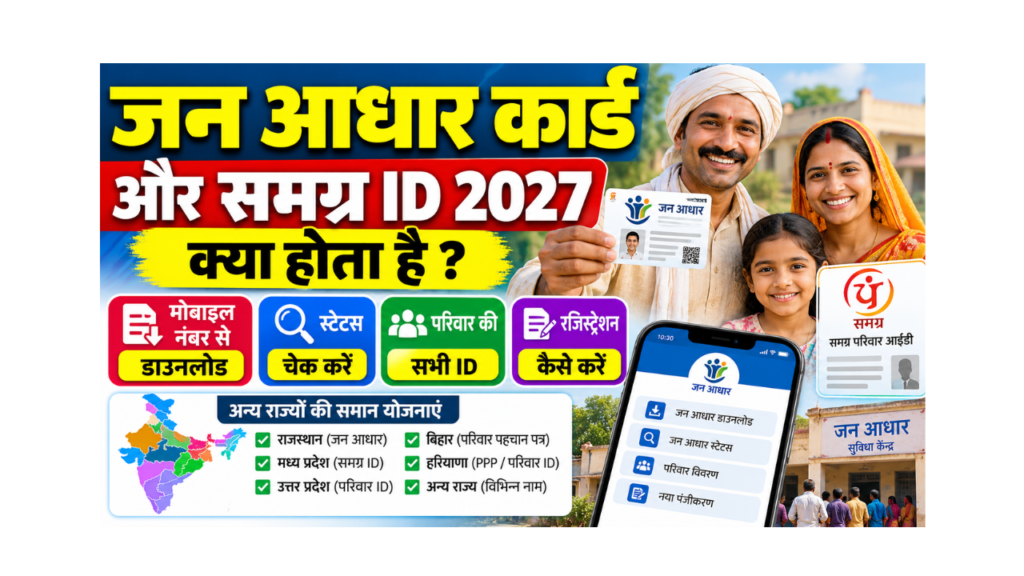
If you live in Rajasthan, almost every government office will ask for your Jan Aadhaar. If you live in Madhya Pradesh, the same question comes as “Samagra ID batao“. Both are family IDs: one number that holds the details of your whole family, so that the state can give scholarships, pensions, ration and health benefits without asking for the same papers again and again.
This page explains Jan Aadhaar card kya hota hai, how to do Jan Aadhaar download by mobile number, status check, how to find and download your Samagra ID, and which family ID is used in other states.
Written by: Prabhash, content creator and web developer, sahiyojana.com
Last updated: 8 October 2026
Checked against: Rajasthan Jan Aadhaar portal information and helpline, the MP Samagra portal, and published guides on both portals
Quick Comparison
| Point | Jan Aadhaar (Rajasthan) | Samagra ID (Madhya Pradesh) |
|---|---|---|
| What it is | Family ID card of Rajasthan | Family and member ID of MP |
| Number | 10-digit Jan Aadhaar number | 8-digit family ID and 9-digit member ID |
| Portal | janaadhaar.rajasthan.gov.in | samagra.gov.in |
| App | Jan Aadhaar app | MP Samagra app |
| Where to enrol | e-Mitra kiosk or portal | Samagra portal, kiosk, janpad / nagar nigam office |
| Used for | Rajasthan schemes (health, pension, scholarship and more) | MP schemes (scholarship, pension, ration and more) |
| Cost | Free (e-Mitra may charge a service fee) | Free |
Jan Aadhaar Card Kya Hota Hai? (What Is Jan Aadhaar?)
Jan Aadhaar is the family ID card of the Rajasthan government. Its idea is “One Number, One Card, One Identity“. The head of the family (usually the eldest woman, where applicable) and all family members are listed on one card with a 10-digit Jan Aadhaar number.
What You Can Do With Jan Aadhaar
| Use | Examples |
|---|---|
| Health | Rajasthan’s state health scheme with PM-JAY (Mukhyamantri Ayushman Arogya Yojana) |
| Pensions and social security | Old age, widow and disability pensions |
| Education | Scholarships and student enrolment (Shala Darpan) |
| Certificates | Birth and death records, bonafide certificates |
| e-Mitra services | Many state services at e-Mitra kiosks |
Jan Aadhaar Card Download
Method 1: Jan Aadhaar Portal
- Open the Jan Aadhaar portal. To open it directly, Click Here.
- Choose the option to download e-Jan Aadhaar card.
- Enter your Jan Aadhaar number, enrolment / acknowledgement ID, or Aadhaar number (as shown on the page).
- Select the family member and verify with the OTP sent to that member’s registered mobile.
- Download the e-Jan Aadhaar card PDF.
Method 2: Jan Aadhaar App (Download by Mobile Number)
- Install the Jan Aadhaar app from the Play Store.
- Tap “Get e-Card”.
- Choose Jan Aadhaar ID or acknowledgement ID, enter it, and load the family members list.
- Select the member; an OTP is sent to the mobile number registered in Jan Aadhaar.
- Enter the OTP and download the card.
If you do not remember your Jan Aadhaar number: Use the search / know your Jan Aadhaar option on the portal or app with your Aadhaar or registered mobile, or ask at an e-Mitra kiosk.
Jan Aadhaar Status Check Online (Rajasthan)
- Open the Jan Aadhaar app or portal and choose “Status”.
- Enter your acknowledgement ID or Aadhaar ID.
- Load the family members, select the member and verify with OTP.
- The current status of your enrolment or update is shown.
How to Get or Update Jan Aadhaar
- New enrolment, adding members, deleting members, changing head of family, or splitting a family: Visit an e-Mitra kiosk with Aadhaar of all members and supporting documents.
- Children aged 0 to 5: Usually added through the head of family, with both parents’ Aadhaar.
Jan Aadhaar Helpline
| Purpose | Contact |
|---|---|
| Toll-free | 1800-180-6127 |
| Phone | 0141-2921336 |
| helpdesk.janaadhaar@rajasthan.gov.in |
Samagra ID (Madhya Pradesh): Kya Hai?
Samagra is MP’s family and member registry. Every family gets an 8-digit family ID, and each member gets a 9-digit member ID. Most MP schemes and scholarships ask for the Samagra ID, and it must be e-KYC verified with Aadhaar.
Samagra ID Search and Download
Search Samagra ID by Mobile Number
- Open the Samagra portal. To open it directly, Click Here.
- Choose “Search Samagra ID” and select search by mobile number (or by family member’s Samagra ID / member ID).
- Enter the details and the captcha.
- Your Samagra ID details are shown.
Download / Print Samagra Card
- On samagra.gov.in, choose the option to print the family ID / member ID card (or “view information by member ID”).
- Enter your family ID or member ID.
- Verify with OTP if asked, and download / print.
You can also use the MP Samagra app.
Samagra e-KYC
- On samagra.gov.in, open “e-KYC” (Update Samagra / e-KYC).
- Enter your member ID and the OTP sent to your registered mobile.
- Enter Aadhaar and complete Aadhaar OTP verification.
- Check the name and details, and submit.
Why e-KYC matters: Many MP scholarships and benefits are paid only to members with e-KYC done in Samagra.
Samagra Helpline
| Purpose | Contact |
|---|---|
| Phone | 0755-2558391 |
| Portal | samagra.gov.in |
| Local help | Janpad panchayat, nagar nigam / nagar palika office, or MP Online kiosk |
Family ID Cards in Other States
Many states now use a family ID system like Jan Aadhaar and Samagra. Here are some of the main ones.
| State | Family ID name | Where to start |
|---|---|---|
| Rajasthan | Jan Aadhaar | Click Here |
| Madhya Pradesh | Samagra ID | Click Here |
| Haryana | Parivar Pehchan Patra (PPP / Family ID) | Click Here |
| Uttar Pradesh | Family ID (Ek Parivar Ek Pehchan) | Click Here |
| Jammu and Kashmir | J&K Family ID | Click Here |
| Other states | Usually linked to the ration card or state social registry | Check your state’s e-District or social welfare portal |
flowchart TD
    A["Which state do you live in?"] --> B["Rajasthan: Jan Aadhaar"]
    A --> C["Madhya Pradesh: Samagra ID"]
    A --> D["Haryana: Parivar Pehchan Patra"]
    A --> E["Uttar Pradesh: Family ID"]
    A --> F["Other states: ration card or state social registry"]
    B --> G["Download e-card with OTP on registered mobile"]
    C --> G
    D --> G
    E --> G
    classDef ask fill:#fff9c4,stroke:#f9a825,color:#4e342e
    classDef ok fill:#c8e6c9,stroke:#2e7d32,color:#1b5e20
    class A ask
    class B,C,D,E,F,G ok
Common Problems and Fixes
| Problem | Fix |
|---|---|
| OTP goes to an old mobile number | Update the mobile number at e-Mitra (Rajasthan) or the Samagra office / kiosk (MP) |
| Name spelling different from Aadhaar | Do e-KYC / update so details match Aadhaar |
| Member missing from family | Add the member through e-Mitra or the Samagra portal / office |
| Two family IDs for one family | Ask the office to merge or delete the duplicate |
| Scheme payment not coming | Check that e-KYC is complete and the bank account is linked |
Frequently Asked Questions (FAQ)
Jan Aadhaar card kya hota hai?
It is the family ID card of Rajasthan. It has a 10-digit number and lists all family members, so they can get state schemes through one ID.
How can I do Jan Aadhaar card download?
Use the Jan Aadhaar portal or app, enter your Jan Aadhaar or acknowledgement ID, select the member, verify the OTP, and download the e-card.
How can I download Jan Aadhaar by mobile number?
In the Jan Aadhaar app, choose “Get e-Card”, enter your Jan Aadhaar or acknowledgement ID, and verify with the OTP sent to the registered mobile number.
How can I check Jan Aadhaar status online in Rajasthan?
Open the Jan Aadhaar app or portal, choose “Status”, enter the acknowledgement or Aadhaar ID, select the member and verify OTP.
What is the Jan Aadhaar portal?
The official portal is janaadhaar.rajasthan.gov.in.
What is the Jan Aadhaar helpline number?
Call 1800-180-6127 (toll free) or 0141-2921336.
What is Samagra ID?
It is Madhya Pradesh’s family and member ID. Families get an 8-digit ID and members get a 9-digit ID, used for most MP schemes.
How can I find my Samagra ID by mobile number?
On samagra.gov.in, choose “Search Samagra ID”, select mobile number search, enter your number and the captcha.
How can I do Samagra e-KYC?
On samagra.gov.in, open e-KYC, enter your member ID and OTP, then verify your Aadhaar with OTP and submit.
Is Jan Aadhaar the same as Aadhaar?
No. Aadhaar is your personal ID from UIDAI. Jan Aadhaar is Rajasthan’s family ID for state schemes.
Does my state have a family ID?
Several states have one, like Haryana (Parivar Pehchan Patra), Uttar Pradesh (Family ID) and J&K (Family ID). In other states, the ration card or state social registry is used.
Sources
- Bajaj Finserv: Jan Aadhaar download and status steps, helpline and services
- Housing.com: Samagra ID search, family and member ID digits, helpline
- Official portals: janaadhaar.rajasthan.gov.in and samagra.gov.in
Disclaimer
sahiyojana.com is not a government website and is not linked with the Rajasthan or MP governments. Please confirm the latest details on the official portals or at e-Mitra / Samagra offices. sahiyojana.com is completely free and never asks for any money.
Important Links
These important links are collected for you by sahiyojana.com. Click on any link to open the page.
| What You Need | Link |
|---|---|
| Application Form (Jan Aadhaar Enrolment Portal) | Click Here |
| Official Site (MP Samagra Portal) | Click Here |
| Haryana Family ID (PPP) | Click Here |
| UP Family ID | Click Here |
| Ration Card Guide | Click Here |
| Other Yojana Info | Click Here |
| Home Page | Click Here |
